Introduction
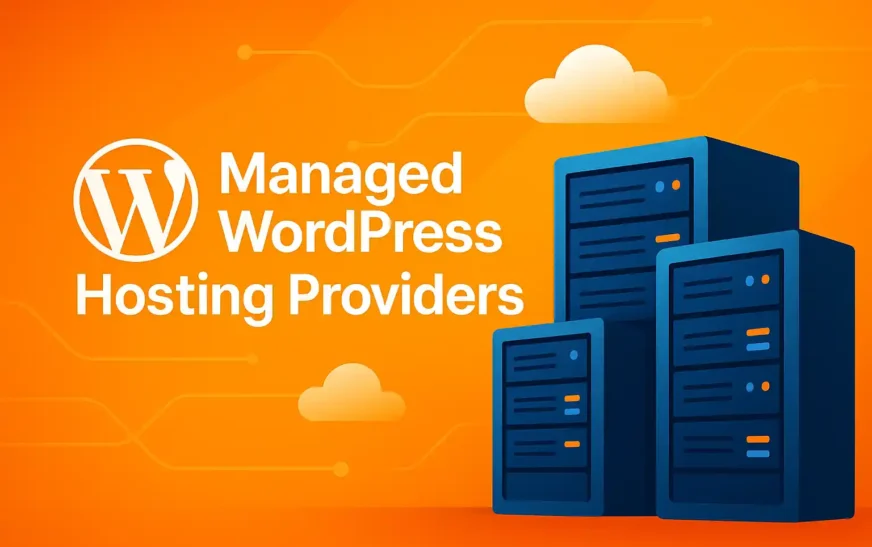
Choosing the right managed WordPress hosting providers can make or break your website’s success. In today’s competitive digital landscape, you need a hosting environment that guarantees speed, security, and seamless scalability—without the headache of technical maintenance. Whether you run a high‑traffic blog, an e‑commerce storefront, or a portfolio showcase, managed WordPress hosting providers take care of the heavy lifting so you can focus on what matters: creating content and growing your audience.
In this comprehensive guide, we’ll explore:
-
What sets managed WordPress hosting apart
-
The key benefits and potential drawbacks
-
A detailed, side‑by‑side review of the 10 ultimate managed WordPress hosting providers
-
Actionable tips for selecting the perfect provider based on your budget, traffic profile, and technical requirements
By the end, you’ll have all the insights and data you need to make an informed decision—and leverage a hosting platform that supercharges your site’s performance and reliability.
What Are Managed WordPress Hosting Providers?
Managed WordPress hosting providers are specialized hosts that tailor their entire infrastructure exclusively to WordPress. Unlike generic shared or VPS plans—where you handle updates, security patches, and caching plugins yourself—managed hosts automate these tasks, offering:
-
Automated Updates: Core, theme, and plugin updates without manual intervention.
-
Built‑In Caching & CDN: Server‑level caching plus global content delivery networks.
-
Proactive Security: Web Application Firewalls (WAF), malware scanning, DDoS mitigation.
-
Dedicated Support: WordPress‑trained engineers available 24/7.
-
Developer Tools: SSH, WP‑CLI, Git integration, and one‑click staging environments.
This hands‑off model is ideal for site owners who value reliability and performance but lack the time or expertise for server management.
Key Benefits of Managed WordPress Hosting Providers
Opting for one of the best managed WordPress hosting providers unlocks multiple advantages:
-
Blazing‑Fast Load Times
-
Server‑level caching tailored to WordPress architecture
-
HTTP/2 and HTTP/3 protocol support for parallel asset loading
-
SSD storage and optimized PHP worker allocations
-
-
Hassle‑Free Maintenance
-
Automated WordPress core, theme, and plugin updates
-
Safe, one‑click rollback to previous versions
-
Scheduled backups with incremental and full‑site restore points
-
-
Rock‑Solid Security
-
Web Application Firewall (WAF) blocking malicious traffic
-
Real‑time malware scanning and removal
-
Brute‑force login protection and DDoS mitigation
-
-
Guaranteed Uptime & SLAs
-
99.9%+ uptime commitments with financial penalties on breaches
-
Redundant architectures in multiple data‑centers
-
Proactive health monitoring and alerting
-
-
Expert WordPress Support
-
24/7 live chat, phone, or ticket support from WordPress specialists
-
Pre‑sales consultation to match hosting to your needs
-
Proactive site health checks and performance audits
-
-
Built‑In CDN Integration
-
Dozens of global edge locations for reduced latency
-
Simple toggle‑on configuration—no extra billing
-
Bandwidth savings and improved SEO via faster TTFB
-
-
Scalability & Flexibility
-
Auto‑scaling during traffic spikes (e.g., product launches)
-
Containerized or isolated environments per site
-
Easy vertical or horizontal plan upgrades with zero downtime
-
-
Advanced Developer Tooling
-
SSH and WP‑CLI for command‑line control
-
Git integration for version control workflows
-
One‑click staging environments for safe testing
-
-
Comprehensive Analytics & Reporting
-
Core Web Vitals dashboards (LCP, FID, CLS)
-
Uptime monitoring with SMS/email alerts
-
Real‑time traffic and performance insights
-
-
Free SSL Certificates & HTTPS
-
Let’s Encrypt integration or paid certificates
-
HTTP/2 enabled by default for faster TLS handshakes
-
Simplified certificate renewals
-
Common Drawbacks of Managed WordPress Hosting Providers
Despite the wealth of advantages, managed WordPress hosting providers may present some challenges:
-
Premium Pricing
-
Entry‑level plans typically start at $20–$30/month
-
Enterprise tiers can exceed $100/month
-
-
Plugin Restrictions
-
Some hosts blacklist resource‑intensive or insecure plugins
-
Conflict with third‑party caching or backup tools
-
-
Limited Server Customization
-
No root or full SSH access on basic plans
-
Custom PHP modules may be unsupported
-
-
Migration Complexity
-
Free migrations often limited by site size or number
-
Multisite or large WooCommerce stores may incur fees
-
-
Vendor Lock‑In
-
Proprietary caching and staging tools
-
Moving away can require data exports and DNS changes
-
-
Resource Caps on Low Tiers
-
Strict CPU, RAM, or I/O limits leading to throttling
-
Unexpected overage charges during traffic surges
-
In‑Depth Review of the 10 Top Managed WordPress Hosting Providers
1. SiteGround
Starting Price: $14.99/mo
Data Centers: USA, Europe, Asia, Australia
Key Features
-
SG Optimizer plugin for server‑level caching & image optimization
-
Free Cloudflare CDN integration with Railgun
-
Automated daily backups and one‑click restore
Performance
-
Google Cloud SSD infrastructure
-
Average TTFB under 400 ms on GrowBig and GoGeek plans
-
HTTP/2 & PHP 8.1 support
Support & Security
-
24/7 WordPress‑certified live chat & tickets
-
AI‑powered anti‑bot system for DDoS protection
-
Proactive site monitoring with uptime checks
Ideal For
-
Small to medium blogs, business sites, and WooCommerce stores
2. WP Engine

Starting Price: $30/mo
Data Centers: Global (18+ regions)
Key Features
-
EverCache proprietary caching for sub‑200 ms load times
-
Smart Plugin Manager automates safe plugin updates
-
GeoTargeting for location‑based content delivery
Performance
-
Custom NGINX/PHP stack with dedicated PHP workers
-
Brotli and GZIP compression enabled
-
HTTP/2, HTTP/3, and IPv6 support
Support & Security
-
24/7 chat, phone & ticket support with 15‑minute SLA
-
Enterprise‑grade WAF and real‑time threat detection
-
Free automated SSL via Let’s Encrypt
Ideal For
-
High‑traffic blogs, agencies, and enterprise portals
3. Kinsta
Starting Price: $35/mo
Data Centers: 34 Google Cloud regions
Key Features
-
LXD-managed container architecture per site
-
Redis in‑memory object caching and New Relic APM integration
-
Hack‑fix guarantee included at no extra cost
Performance
-
Guaranteed sub‑200 ms TTFB globally
-
HTTP/3, Brotli, and PHP 8.2 out of the box
-
Full‑page and fragment caching at edge level
Support & Security
-
24/7 WordPress expert chat support
-
DDoS detection, hardware firewalls, and GeoIP blocking
-
Daily and on‑demand backups with up to 14‑day retention
Ideal For
-
Agencies, high‑traffic WooCommerce, and mission‑critical applications
4. Flywheel

Starting Price: $20/mo
Data Centers: USA, Europe, Asia
Key Features
-
Local by Flywheel for local development and seamless deployment
-
Nightly backups with one‑click restore points
-
Collaboration tools for teams and clients
Performance
-
Google Cloud network with built‑in CDN edge caching
-
Optimized PHP workers per site and HTTP/2 support
Support & Security
-
Personalized onboarding for new accounts
-
Free malware monitoring and removal
-
SFTP, SSH, and WP‑CLI access
Ideal For
-
Freelancers, small agencies, and creative professionals
5. Bluehost WP Pro

Starting Price: $19.95/mo
Data Centers: USA
Key Features
-
Marketing Center with SEO tools and campaign management
-
Automated staging environments and Git integration
-
Free Jetpack Premium on higher tiers
Performance
-
SSD‑only storage with HTTP/2 enabled
-
MultiPHP support and 24‑core CPU allocations
Support & Security
-
24/7 WordPress‑focused phone, chat & social media support
-
Free Domain privacy and SSL certificate
-
Spam protection with SpamExperts
Ideal For
-
Small businesses, bloggers, and novice users
6. DreamHost DreamPress
Starting Price: $16.95/mo
Data Centers: USA
Key Features
-
Jetpack Premium included for security and performance
-
Built‑in caching and WP Website Builder
-
Unlimited free SSL certificates
Performance
-
SSD‑only servers with optimized NGINX stack
-
HTTP/2 & PHP 8.x support
Support & Security
-
24/7 in‑house WordPress support via tickets
-
Automated daily backups with 30‑day retention
-
Domain‑level DDoS mitigation
Ideal For
-
Budget‑conscious bloggers and small enterprises
7. Pagely
Starting Price: $29/mo
Data Centers: AWS Global regions
Key Features
-
AWS‑powered auto‑scaling container clusters
-
PressCDN multi‑region CDN powered by Fastly
-
Enterprise‑grade security with Sucuri integration
Performance
-
Auto‑scaling for unpredictable traffic spikes
-
Global edge caching with sub‑100 ms TTFB in major markets
Support & Security
-
24/7 DevOps‑level support with phone escalation
-
PCI‑compliance and enterprise WAF
Ideal For
-
Large enterprises and high‑volume WooCommerce stores
8. Pressable
Starting Price: $25/mo
Data Centers: USA, Europe, Asia
Key Features
-
Jetpack Professional and nightly backups
-
Automatic malware scanning & removal
-
Global CDN powered by Automattic
Performance
-
SSD‑only servers optimized for WordPress
-
HTTP/2 & Brotli compression on all plans
Support & Security
-
24/7 WordPress‑centric live chat & email
-
Free SSL and DDoS protection
-
Staging environments on Growth plan+
Ideal For
-
Agencies and mid‑sized businesses seeking integrated Jetpack features
9. Pressidium
Starting Price: $42/mo
Data Centers: Europe, USA, Asia-Pacific
Key Features
-
Enterprise‑grade container clusters with auto‑healing
-
Real‑time backups and on‑demand staging environments
-
Geo‑distributed CDN and DDoS protection
Performance
-
Guaranteed sub‑150 ms TTFB globally
-
Full support for HTTP/3 and IPv6
Support & Security
-
24/7 WordPress engineer chat & ticketing
-
Proactive performance tuning and threat mitigation
Ideal For
-
Enterprises requiring global consistency and SLA guarantees
10. Liquid Web Managed WP
Starting Price: $19/mo (1 site)
Data Centers: USA, Europe
Key Features
-
Heroic Support® available 24/7/365
-
Managed core, theme & plugin updates
-
Choice of cPanel or Plesk control panels
Performance
-
Guaranteed 100% uptime SLA
-
Scalable VPS and dedicated server options
Support & Security
-
24/7 phone, chat & ticket support from WordPress experts
-
Free SSL, DDoS protection, and malware scans
Ideal For
-
Businesses needing white‑glove support and flexible server options
How to Choose the Best Managed WordPress Hosting Provider
Selecting the ideal managed WordPress hosting providers requires balancing features, budget, and technical needs:
1. Align Your Budget with Features
-
$15–$30/mo: Basic blogs and small portfolios (DreamPress, Bluehost WP Pro)
-
$30–$70/mo: Growing businesses needing staging & analytics (SiteGround GrowBig, Flywheel)
-
$70+/mo: Enterprise sites demanding SLAs and advanced security (Kinsta, Pagely, Pressidium)
2. Assess Traffic Patterns & Scalability
-
Choose auto‑scaling if you expect unpredictable spikes (Pagely, Kinsta)
-
Verify resource caps (CPU, RAM, I/O) on entry plans to avoid throttling
3. Evaluate Support Response & Expertise
-
Test pre‑sales live chat for responsiveness and knowledge depth
-
Ensure 24/7 availability for mission‑critical operations
4. Audit Security & Backup Policies
-
Confirm backup frequency (daily vs. real‑time) and retention limits
-
Check for proactive malware removal and DDoS mitigation
5. Leverage Developer Tools & Workflows
-
One‑click staging with push to live is a must for safe testing
-
SSH, WP‑CLI, and Git integration streamline developer workflows
For deeper tips on optimizing performance, see our guide on Optimizing WordPress Hosting Performance.
Conclusion
Ultimately, managed WordPress hosting providers deliver the performance, security, and expert support modern websites demand. By weighing the 10 ultimate options above against your budget, traffic expectations, and development workflow, you can select the perfect host to power your WordPress journey.
Ready to elevate your site? Compare plans today, take advantage of pre‑sales support demos, and experience the peace of mind that comes with truly managed hosting.
Read Also
- Best Web Hosting 2025
- 7 Easy Steps to Start a WordPress Blog-A complete guide
- How to Secure Your WordPress Website in 10 powerful Steps?
External Resources
- WordPress.org: https://wordpress.org/
- Cloudflare CDN: https://www.cloudflare.com/
Frequently Asked Questions
1. What is managed WordPress hosting?
Managed WordPress hosting is a specialized service where your provider handles all the technical aspects of running WordPress—updates, security, backups, performance tuning, and expert support—so you can focus exclusively on your content and business.
2. How does managed WordPress hosting differ from shared hosting?
With shared hosting, you share server resources and are responsible for software updates and security. Managed WordPress hosting offers isolated environments, server‑level caching, automatic updates, and WordPress‑specific optimizations backed by expert support.
3. Is managed WordPress hosting worth the extra cost?
Yes—if you value uptime, performance, and hands‑off maintenance. The premium covers daily backups, proactive security, scalable infrastructure, and access to WordPress‑trained engineers, which can save time and prevent costly downtime.
4. Can I migrate my existing WordPress site to a managed host?
Almost all top managed WordPress hosting providers offer free or assisted migrations. They’ll transfer your files, database, and settings for minimal downtime. Just check any site‑size or multisite limitations beforehand.
5. Do managed WordPress hosts allow custom plugins and themes?
Generally yes, but some plugins—especially resource‑heavy caching or backup plugins—may be restricted to prevent conflicts with the host’s built‑in tools. Always review your provider’s blacklist before choosing.
6. How do managed hosts handle updates and backups?
They automate WordPress core, theme, and plugin updates (often with safe rollbacks) and run daily incremental backups stored off‑site. You usually get one‑click restore points and on‑demand backup options.
7. What level of customer support can I expect?
Managed hosts provide 24/7 WordPress‑expert support via live chat, ticket, and often phone. Response times are typically faster (15 min or less) than generic hosts, and the agents have deep WordPress knowledge.
8. Will managed WordPress hosting improve my site’s performance?
Absolutely. Benefits include server‑level caching (Nginx or bespoke stacks), CDN integration, HTTP/2 & HTTP/3 support, SSD storage, and optimized PHP workers, all combining to deliver sub‑200 ms TTFB in many cases.
9. How scalable is managed WordPress hosting?
Very scalable—most providers use containerization or auto‑scaling clusters. During traffic spikes (viral posts or product launches), resources can adjust automatically to maintain performance and uptime.
10. What security features are standard?
Look for Web Application Firewalls (WAF), malware scanning and removal, brute‑force protection, DDoS mitigation, hardware firewalls, GeoIP blocking, and PCI compliance for e‑commerce sites.
11. Are staging environments included?
Yes—one‑click staging and push‑to‑live workflows are standard on mid‑ and high‑tier plans. This lets you test changes safely before deploying to your live site.
12. How are SLAs and uptime guarantees enforced?
Providers often guarantee 99.9%+ uptime, with financial credits for breaches. They use redundant data centers, proactive monitoring, and rapid failover mechanisms to meet these commitments.
13. What developer tools do managed hosts offer?
SSH and SFTP access, WP‑CLI, Git integration, Application Performance Monitoring (APM), and database access are common. These tools streamline advanced workflows and debugging.
14. Can I host multiple sites on one plan?
Some plans include multiple sites or add‑on slots; others require separate plans per site. If you manage an agency or have many smaller sites, look for multi‑site or agency‑friendly offerings.
15. How do I choose the best managed WordPress hosting provider?
Compare based on:
-
Budget vs. features (entry vs. enterprise tiers)
-
Traffic and scalability needs (auto‑scaling vs. fixed resources)
-
Support responsiveness (test pre‑sales chat)
-
Security & backup policies (frequency, retention, on‑demand restores)
-
Developer tooling (staging, SSH, Git, APM)
These FAQs should help you understand, compare, and select the right managed WordPress hosting providers for your needs.