SolidWorks Automation: 15 Powerful Ways to Save Hours

SolidWorks Automation is the fastest way to turn repetitive CAD work into reliable, repeatable engineering workflows. If you’ve ever spent an hour fixing custom properties, chasing drawing errors, exporting PDFs one-by-one, or verifying release readiness across dozens of files—this guide is written for you. The goal here is simple: reduce
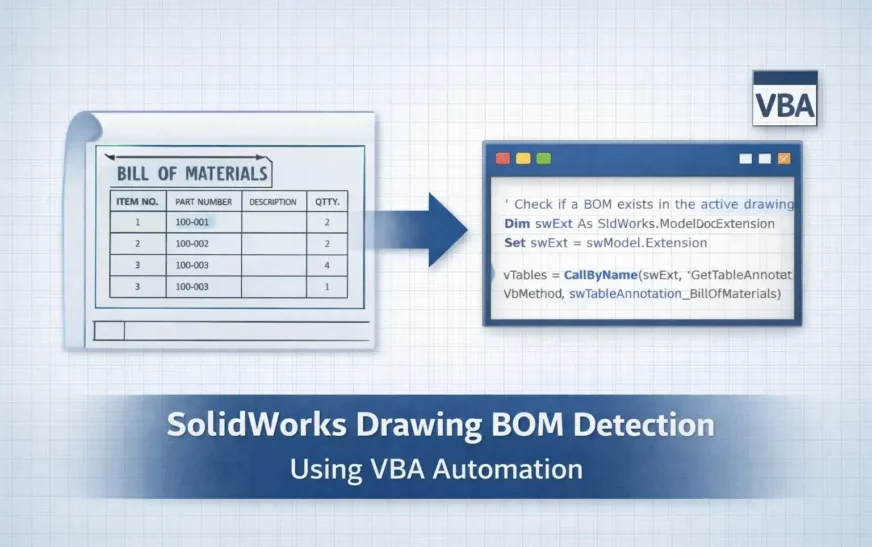
SolidWorks Drawing BOM Availability: 6 Powerful VBA Checks
How to Check SolidWorks Drawing BOM Availability Using VBA In production design workflows, verifying SolidWorks Drawing BOM Availability is one of the most important quality checks before releasing drawings for manufacturing. A drawing might appear complete—with views, dimensions, and annotations—yet still be missing a Bill of Materials (BOM). When this

Industry 4.0 System Architecture: 2025 State & 2026 Needs
Introduction: Industry 4.0 as an Engineering Systems Problem Industry 4.0 is no longer best understood as a digital transformation initiative or a technology adoption roadmap. By 2025, it has become a core engineering systems problem, comparable in importance to safety engineering, quality engineering, or systems integration in earlier industrial eras.

DriveWorks SOLIDWORKS Automation: 9 Powerful Truths
Introduction: Why DriveWorks SOLIDWORKS Automation Is Often Misunderstood DriveWorks SOLIDWORKS automation is frequently discussed in engineering teams whenever the topic of design automation comes up. Some see it as a magic tool that removes repetitive work. Others dismiss it as a limited configurator that cannot handle real engineering logic. Both