SolidWorks Automation: 15 Powerful Ways to Save Hours

SolidWorks Automation is the fastest way to turn repetitive CAD work into reliable, repeatable engineering workflows. If you’ve ever spent an hour fixing custom properties, chasing drawing errors, exporting PDFs one-by-one, or verifying release readiness across dozens of files—this guide is written for you. The goal here is simple: reduce
SolidWorks Drawing BOM Availability: 6 Powerful VBA Checks
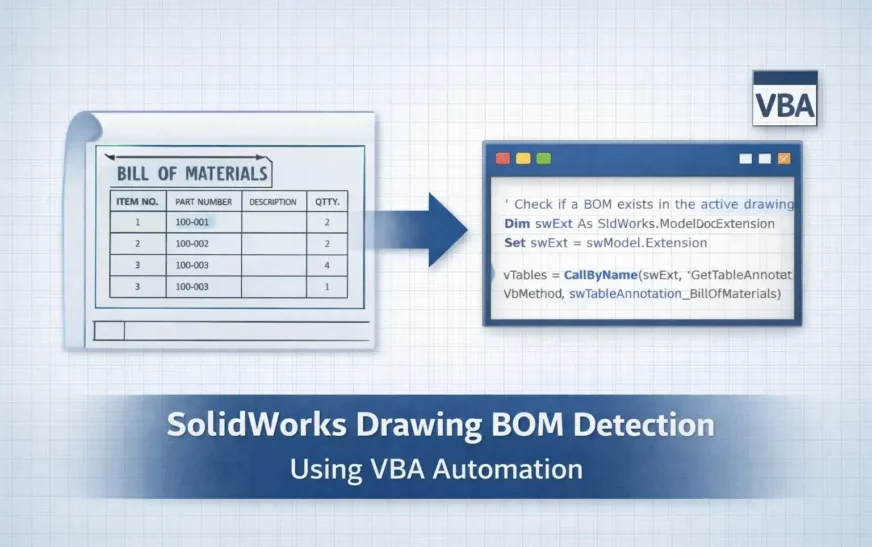
How to Check SolidWorks Drawing BOM Availability Using VBA In production design workflows, verifying SolidWorks Drawing BOM Availability is one of the most important quality checks before releasing drawings for manufacturing. A drawing might appear complete—with views, dimensions, and annotations—yet still be missing a Bill of Materials (BOM). When this

Link Drawing Views to BOM in SolidWorks with a VBA Macro
Link drawing views to BOM in SolidWorks using a custom VBA macro built on the SolidWorks API—a must‑have SolidWorks automation for any design engineer. This lightweight API macro scans your drawing’s FeatureManager tree to identify the active BOM feature and, with a single command, sets Keep linked to BOM on