SolidWorks Add-in: Building Real Automation Systems with SolidWorks API
A SolidWorks Add-in is where CAD usage ends and engineering automation truly begins.
For many engineers, SolidWorks is a powerful modeling tool. For advanced teams, however, SolidWorks becomes a platform—one that can be extended, controlled, and automated using the SolidWorks API.
Most engineers learn how to model parts, assemblies, and drawings.
Very few learn how to shape how SolidWorks itself behaves.
This article explains what a SolidWorks Add-in really is, how it differs from macros, how SolidWorks API and VBA fit into the picture, and why SolidWorks automation is becoming a defining skill for engineering leaders—not just CAD users.
From Manual CAD Work to SolidWorks Automation
In real engineering teams, problems rarely come from lack of modeling knowledge. They come from repetition, inconsistency, and manual dependency.
A familiar situation in many companies:
-
Senior engineers spend hours checking drawings
-
Standards live in documents, not in tools
-
Sheet-metal rules are remembered, not enforced
-
Different engineers interpret rules differently
-
Errors are found late, during reviews
At first, teams try to fix this with SolidWorks macros.
Macros help automate tasks:
-
Rename files
-
Export drawings
-
Modify dimensions
-
Generate reports
But macros depend on human discipline. Someone must run them. Someone must remember them.
That’s where SolidWorks Add-in–based automation becomes necessary.
What Is a SolidWorks Add-in in Practical Terms
A SolidWorks Add-in is a compiled application that loads directly into SolidWorks and stays active while engineers work. Unlike a macro, a SolidWorks Add-in does not wait to be executed—it listens, reacts, and enforces.
A SolidWorks Add-in can:
-
Load automatically with SolidWorks
-
Monitor parts, assemblies, and drawings
-
Respond to user actions and document events
-
Enforce rules in real time
-
Control workflows without user intervention
In simple engineering language:
| Tool | Purpose |
|---|---|
| SolidWorks Macro | Automates a task |
| SolidWorks Add-in | Automates engineering behavior |
This difference is critical.
SolidWorks Macro vs SolidWorks Add-in
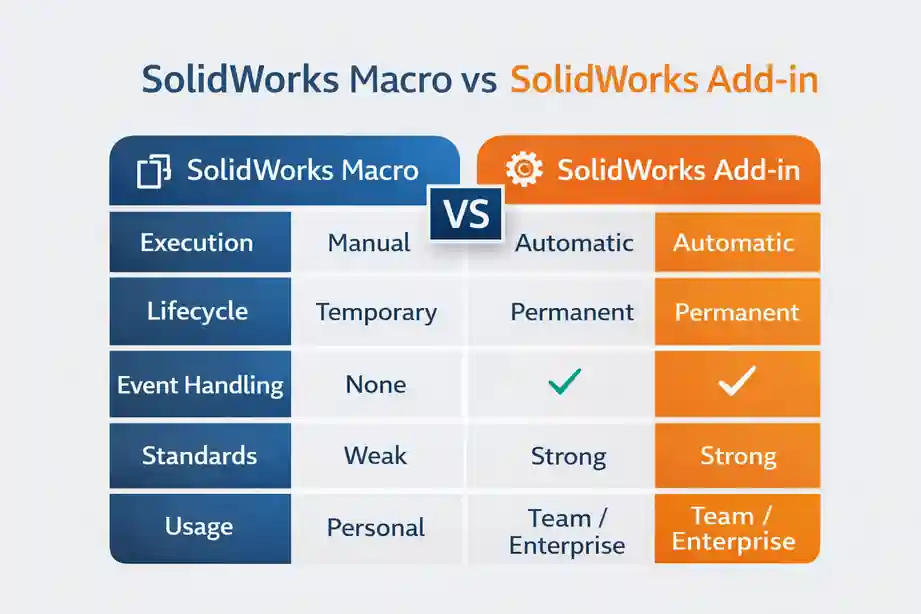
Let’s look at this from an engineering decision perspective.
| Aspect | SolidWorks Macro | SolidWorks Add-in |
|---|---|---|
| Execution | Manual | Automatic |
| Lifecycle | Temporary | Permanent |
| Event handling | No | Yes |
| Multi-file logic | Limited | Strong |
| Standards enforcement | Weak | Strong |
| Team scalability | Low | High |
| Enterprise use | Rare | Common |
A macro saves time.
A SolidWorks Add-in protects quality.
How SolidWorks API Powers a SolidWorks Add-in
At the heart of every SolidWorks Add-in is the SolidWorks API.
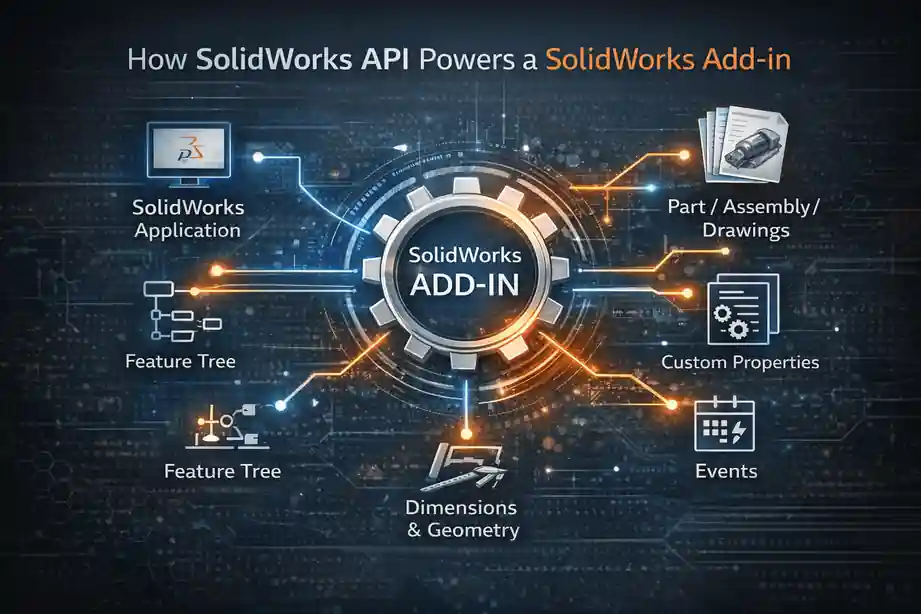
The SolidWorks API exposes internal objects that allow developers and engineers to interact programmatically with:
-
The SolidWorks application
-
Part, assembly, and drawing documents
-
Feature trees and sketches
-
Dimensions and geometry
-
Custom properties and metadata
-
User interface elements
A SolidWorks Add-in uses the SolidWorks API to observe and control what happens during normal CAD work.
Typical automation flow:
-
SolidWorks starts
-
SolidWorks Add-in loads
-
Add-in registers API events
-
Engineer works normally
-
Add-in validates, blocks, or assists silently
This is why SolidWorks automation feels “native” when done correctly.
Where VBA Fits in SolidWorks Automation
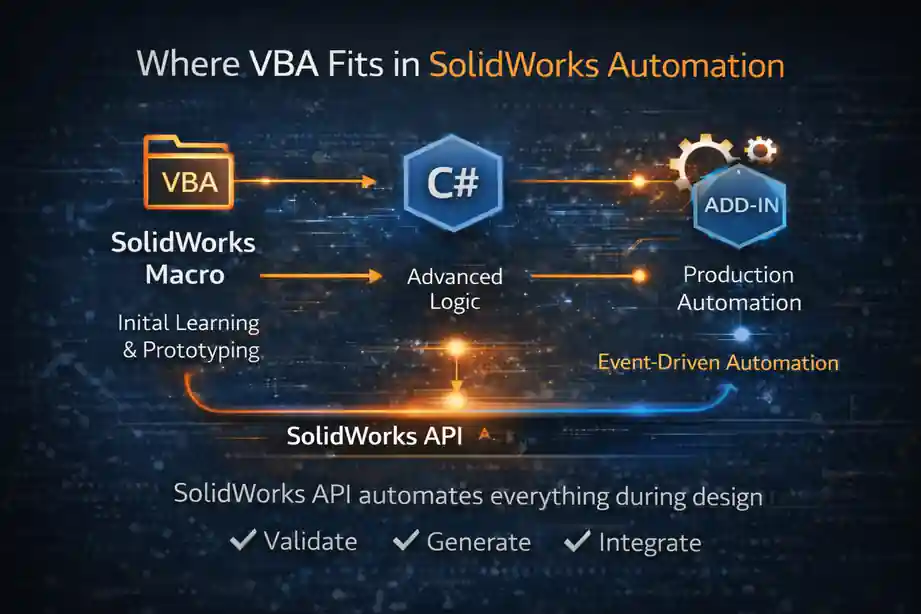
VBA plays a very important role in SolidWorks automation—but it has a natural ceiling.
VBA is excellent for:
-
Learning the SolidWorks API
-
Prototyping automation logic
-
Building quick internal tools
-
Understanding model and drawing behavior
Many SolidWorks Add-in projects start as VBA macros.
However, VBA-based solutions struggle when:
-
Automation must scale
-
Logic becomes complex
-
Multiple users are involved
-
Maintenance matters
At that stage, VBA logic is typically migrated into a SolidWorks Add-in using a more robust language.
API Development Languages for SolidWorks Add-ins
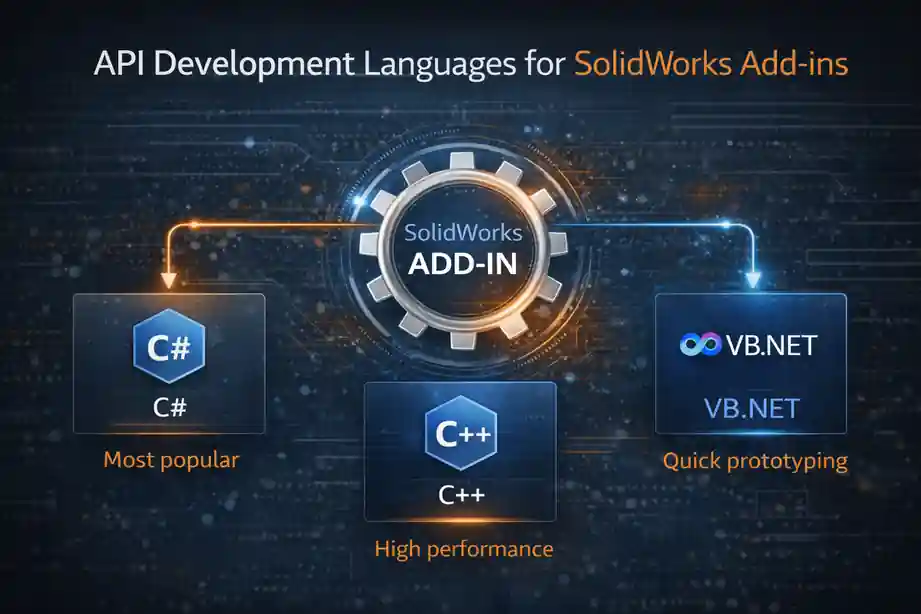
SolidWorks API development supports multiple languages. The choice depends on complexity, longevity, and environment.
VBA
-
Fast to write
-
Easy to test
-
Ideal for early automation ideas
-
Not ideal for enterprise deployment
C# (.NET)
-
Most popular for SolidWorks Add-in development
-
Clean architecture
-
Strong API access
-
Easier UI creation
-
Maintainable long-term
Most professional SolidWorks Add-in tools in industry today are written in C#.
C++
-
Deepest API control
-
Required for certain PDM or legacy environments
-
Performance-critical systems
C++ is powerful—but costly to maintain.
What Engineers Actually Build Using a SolidWorks Add-in
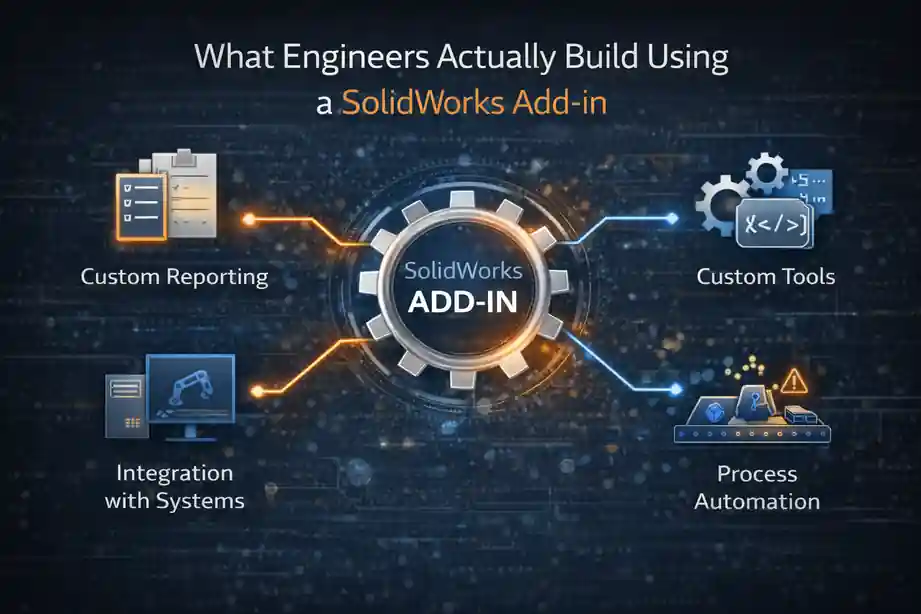
A SolidWorks Add-in is not theoretical. It is used daily in production environments.
Drawing Checker Systems
-
Title block validation
-
Revision and version control
-
Dimensioning standard checks
-
Annotation consistency
-
Sheet format verification
Instead of reviewing drawings repeatedly, errors are prevented at source.
Sheet-Metal Validation Automation
-
Thickness limits
-
Bend radius enforcement
-
Bend allowance or deduction logic
-
Flat-pattern availability
-
Manufacturing readiness checks
This replaces tribal knowledge with encoded engineering logic.
Product Configuration and Variant Control
-
Rule-based geometry changes
-
Feature suppression and activation
-
Size and option management
-
Automated outputs such as STEP, DXF, PDF
-
BOM and spec-sheet generation
A serious configurator is almost always built as a SolidWorks Add-in, not a macro.
BOM, ERP, and PDM Integration
-
Automatic part number assignment
-
Naming convention enforcement
-
Metadata synchronization
-
Workflow validation
This is where SolidWorks automation connects design with business systems.
SolidWorks Add-in Usage Across Industries
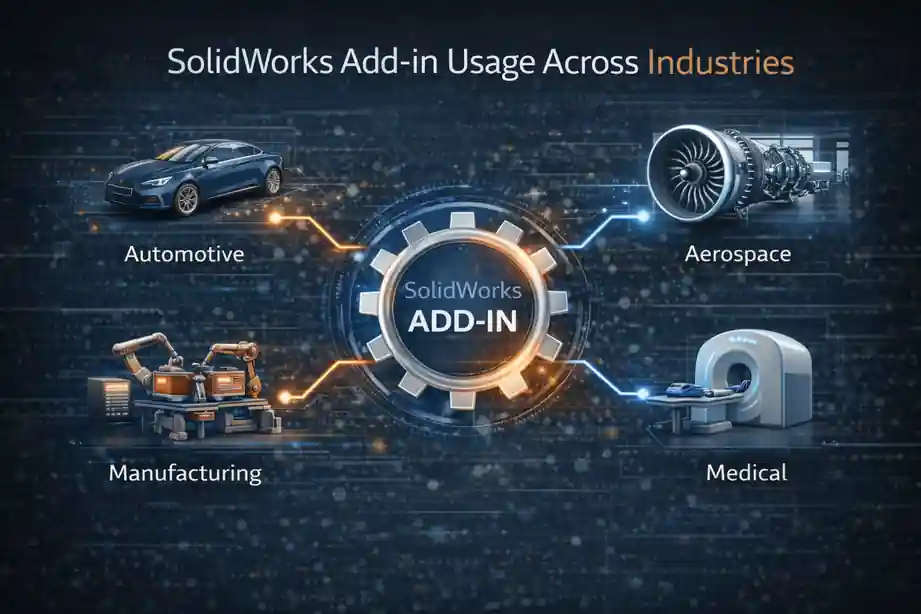
A SolidWorks Add-in is widely used wherever design quality is critical.
Aerospace and defense
-
Mandatory rule enforcement
-
Certification readiness
-
Zero-tolerance validation
Manufacturing
-
Standardized outputs
-
Reduced rework
-
Faster release cycles
Medical devices
-
Regulatory traceability
-
Controlled changes
-
Documentation accuracy
In all cases, SolidWorks automation reduces dependency on manual reviews.
Why Companies Build Their Own SolidWorks Add-in

Organizations often choose internal SolidWorks Add-in development because:
-
Their rules are unique
-
Commercial tools are too generic
-
Intellectual property must remain internal
-
Automation evolves continuously
A well-designed SolidWorks Add-in becomes engineering IP, not just software.
Career Impact of SolidWorks Add-in Expertise

Engineers who work on SolidWorks Add-in development are not just CAD users. They become:
-
CAD automation engineers
-
Design systems engineers
-
CAD administrators with ownership
-
Internal tool architects
This skill combination—engineering + API development + automation—is rare and valuable.
SolidWorks Add-in as a Measure of Engineering Maturity
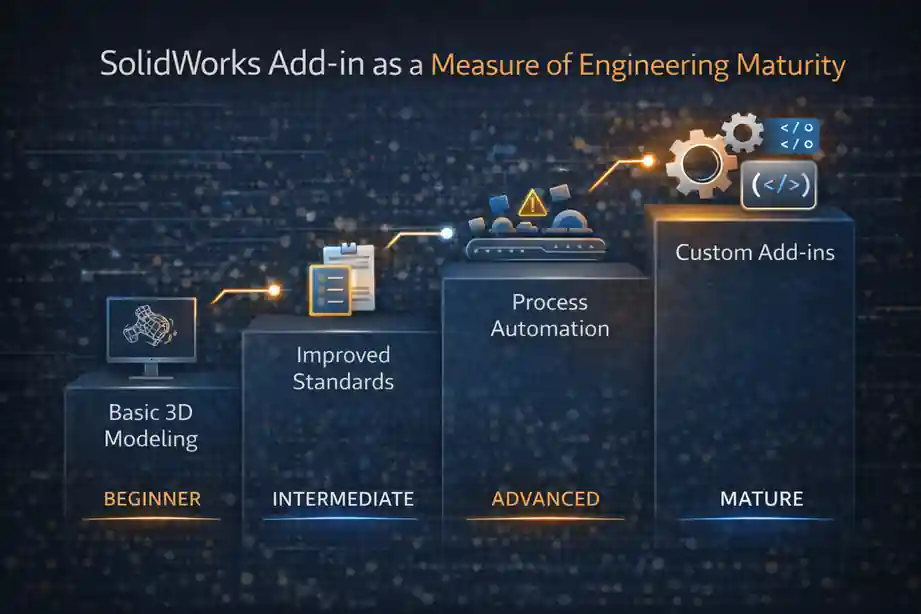
A SolidWorks Add-in is not about coding alone.
It reflects engineering maturity.
When teams rely on SolidWorks automation:
-
Errors are prevented, not corrected
-
Knowledge is preserved digitally
-
Quality becomes consistent
-
Engineering scales with confidence
The future belongs to engineers who build systems, not just models.
A SolidWorks Add-in is how those systems are built—directly inside SolidWorks.
Related Articles
External References
- Dassault Systèmes – SolidWorks API Documentation
- SolidWorks Help – Add-ins, Macros, and Automation
- DriveWorks – Engineering Automation with SolidWorks
SolidWorks Add-in – FAQs
What is a SolidWorks Add-in?
- SolidWorks Add-in is a permanent automation component loaded inside SolidWorks
- SolidWorks Add-in extends native CAD behavior using SolidWorks API
- SolidWorks Add-in works continuously during design activity
How is a SolidWorks Add-in different from a SolidWorks macro?
-
SolidWorks Add-in runs automatically without manual execution
-
SolidWorks Add-in supports event-based automation
-
SolidWorks macro is task-based and manually triggered
Why do engineering teams prefer a SolidWorks Add-in?
-
SolidWorks Add-in enforces standards consistently
-
SolidWorks Add-in reduces dependency on manual checks
-
SolidWorks Add-in scales across teams and projects
When should an engineer use a SolidWorks Add-in?
-
SolidWorks Add-in is ideal for company-wide rule enforcement
-
SolidWorks Add-in suits multi-user CAD environments
-
SolidWorks Add-in supports long-term automation strategy
What problems can a SolidWorks Add-in solve?
-
SolidWorks Add-in eliminates repetitive CAD tasks
-
SolidWorks Add-in prevents common modeling and drawing errors
-
SolidWorks Add-in improves consistency and quality
Can a SolidWorks Add-in be built using the SolidWorks API?
-
SolidWorks Add-in is fully powered by the SolidWorks API
-
SolidWorks API provides access to models, features, and events
-
SolidWorks Add-in uses API events to control workflows
Is VBA used in SolidWorks Add-in development?
-
VBA is often used to prototype SolidWorks Add-in logic
-
VBA helps understand SolidWorks API behavior
-
Production SolidWorks Add-in tools usually move beyond VBA
Which language is best for building a SolidWorks Add-in?
-
SolidWorks Add-in is commonly developed using C#
-
SolidWorks Add-in can be written in VBA for simple tools
-
SolidWorks Add-in may require C++ for advanced integrations
Can a SolidWorks Add-in validate drawings automatically?
-
SolidWorks Add-in checks title blocks and annotations
-
SolidWorks Add-in enforces dimensioning standards
-
SolidWorks Add-in ensures revision consistency
How does a SolidWorks Add-in help sheet-metal design?
-
SolidWorks Add-in validates thickness and bend rules
-
SolidWorks Add-in checks flat-pattern availability
-
SolidWorks Add-in improves manufacturing readiness
Can a SolidWorks Add-in be used as a product configurator?
-
SolidWorks Add-in controls rule-based geometry changes
-
SolidWorks Add-in manages feature suppression and variants
-
SolidWorks Add-in automates output generation
Is a SolidWorks Add-in suitable for large organizations?
-
SolidWorks Add-in enforces rules for all users
-
SolidWorks Add-in supports centralized updates
-
SolidWorks Add-in reduces reliance on individual expertise
Can a SolidWorks Add-in integrate with PDM systems?
-
SolidWorks Add-in enforces check-in and check-out rules
-
SolidWorks Add-in validates revision and workflow states
-
SolidWorks Add-in improves CAD data integrity
Does a SolidWorks Add-in improve design accuracy?
-
SolidWorks Add-in prevents errors early in the workflow
-
SolidWorks Add-in reduces rework and corrections
-
SolidWorks Add-in accelerates approvals
Is SolidWorks Add-in development difficult to learn?
-
SolidWorks Add-in development relies on engineering logic
-
SolidWorks Add-in learning starts easily with VBA
-
SolidWorks Add-in skills grow with API experience
Is SolidWorks Add-in knowledge valuable for careers?
-
SolidWorks Add-in expertise differentiates engineers
-
SolidWorks Add-in skills support automation-focused roles
-
SolidWorks Add-in knowledge offers long-term relevance
Can a SolidWorks Add-in replace manual design reviews?
-
SolidWorks Add-in automates repetitive validation checks
-
SolidWorks Add-in reduces senior engineer workload
-
SolidWorks Add-in improves first-pass quality
Is a SolidWorks Add-in used in real industries?
-
SolidWorks Add-in is common in aerospace engineering
-
SolidWorks Add-in supports manufacturing workflows
-
SolidWorks Add-in is used in regulated industries
How does a SolidWorks Add-in support SolidWorks automation?
-
SolidWorks Add-in enables continuous background automation
-
SolidWorks Add-in converts rules into system logic
-
SolidWorks Add-in scales automation across projects
Is a SolidWorks Add-in future-proof?
-
SolidWorks Add-in aligns with digital engineering trends
-
SolidWorks Add-in supports scalable CAD automation
-
SolidWorks Add-in remains relevant beyond 2025