
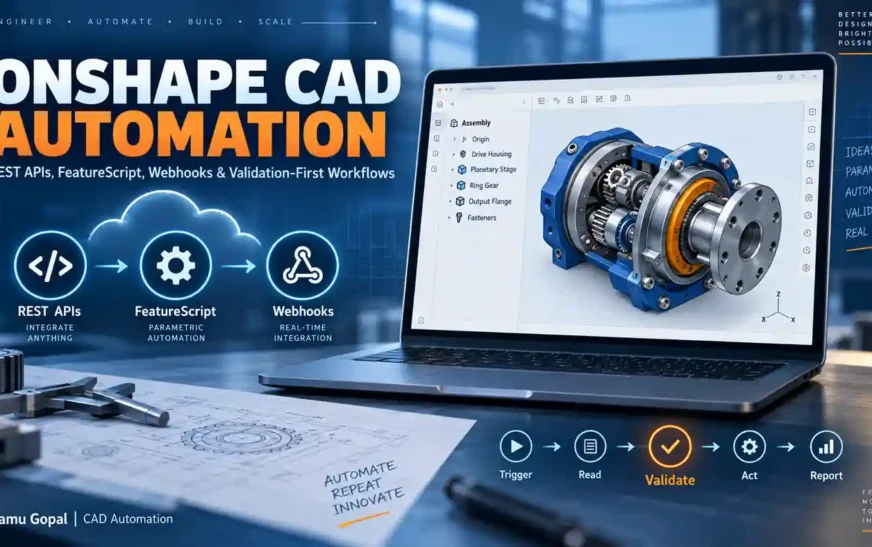
Onshape CAD Automation changes an important assumption about CAD automation: the automation does not have to begin and end inside a desktop CAD application.
Traditional CAD automation is often built around a macro, add-in or local executable. The CAD application is opened, the automation connects to the active document, performs an operation and generates an output.
That approach remains valuable.
But Onshape introduces another architecture because documents, design states and engineering data can be accessed through cloud-oriented developer interfaces.
An external engineering application can communicate with Onshape through REST APIs. FeatureScript can capture reusable parametric modeling logic. Webhooks can initiate workflows when subscribed events occur. Those capabilities can then be combined with validation, reporting and downstream engineering systems.
The important opportunity is therefore not simply:
“How can I automate a CAD command?”
A more useful engineering question is:
“How can CAD data participate in a controlled engineering workflow?”
This guide explains the building blocks behind Onshape CAD Automation, where REST APIs, FeatureScript and webhooks fit, practical automation use cases, and why validation should become part of the architecture before automation is trusted with engineering data.
What Is Onshape CAD Automation?
Onshape CAD Automation is the use of Onshape developer capabilities and external engineering logic to automate design-related tasks, data access, parametric behavior, validation and connected workflows.
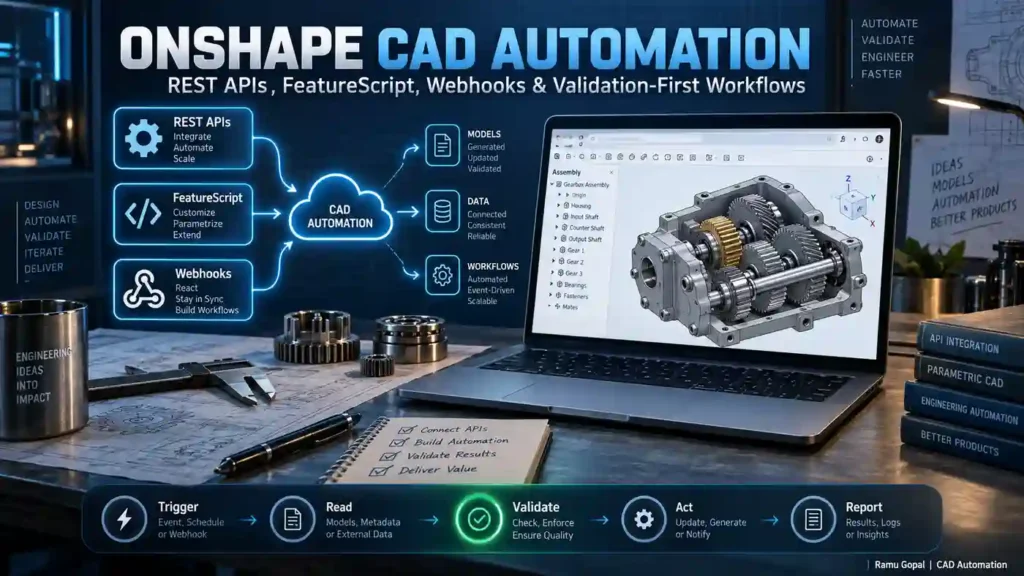
The automation may involve:
- Reading document information
- Accessing Part Studios or assemblies
- Working with metadata
- Identifying workspace or version context
- Building custom parametric features
- Receiving event notifications
- Connecting CAD data with external applications
- Performing engineering validation
- Generating reports
- Supporting approval workflows
- Triggering downstream engineering processes
- Building custom engineering applications
Onshape documents are data containers that can include parts, assemblies, drawings and other elements. Work is organized around documents, workspaces, versions and microversions, while elements identify individual tabs such as Part Studios and assemblies.
That document model matters because reliable automation needs more context than a filename.
A serious application may need to know:
- Which document is being accessed?
- Which workspace is active?
- Is the application reading a version?
- Which element contains the required data?
- Which configuration is relevant?
- Is the design state editable?
- Is the retrieved information the correct engineering revision?
Understanding this context is one of the foundations of reliable Onshape CAD Automation.
Why Onshape CAD Automation Is Different
Desktop CAD automation commonly starts with the CAD process itself.
A simplified traditional workflow might look like:

CAD Application → Macro/Add-in → Active File → Operation → Output
With Onshape, an external application can instead communicate with the platform using REST APIs over HTTP. Onshape’s API documentation describes REST access for clients and third-party systems, with responses commonly represented as JSON.
That enables architectures such as:
User or Event → API → CAD Context → Validation → Action → Verification → Report
This distinction may appear small, but it expands what CAD automation can become.
The automation layer can potentially sit between CAD and:
- Engineering databases
- Quality systems
- Internal web applications
- Reporting services
- Approval systems
- Product-data workflows
- Manufacturing applications
- Analytics dashboards
- AI assistants
- MCP-based engineering tools
- Other enterprise integrations
CAD remains the source of engineering context, but it does not have to be the only place where the workflow executes.
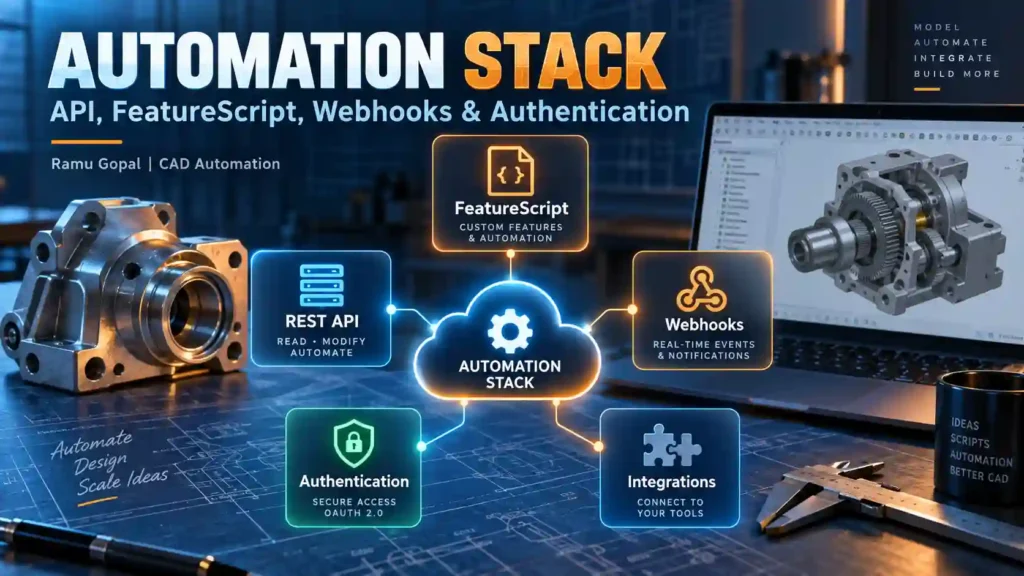
The Core Onshape CAD Automation Stack
For practical Onshape CAD Automation, four areas are particularly important:
- REST API
- FeatureScript
- Webhooks
- Authentication and access control
They solve different engineering problems.
Onshape CAD Automation with REST API
The Onshape REST API is the main interface for applications that need to communicate with Onshape externally.
At a high level, the API supports operations using HTTP methods such as:
GET— retrieve informationPOST— perform supported write operationsDELETE— remove supported resources
Onshape’s API documentation also recommends using the current API version rather than relying on the unversioned API path.
The REST API can become useful when an engineering application needs to:
- Retrieve document information
- Identify document elements
- Read engineering metadata
- Update supported metadata
- Work with assemblies or Part Studios
- Retrieve design-related data
- Build reporting tools
- Integrate CAD with external systems
- Support validation applications
- Build engineering dashboards
- Orchestrate multi-system workflows
A key concept is the Onshape document context.
A typical API operation may involve identifiers for:
Document → Workspace / Version / Microversion → Element
That context should be understood before building larger automation.
Workspace, Version and Microversion Matter
This is one of the most important details in Onshape CAD Automation.
A workspace is an editable branch of the document.
A version represents a named, immutable point in document history.
Microversions capture document changes at a finer level.
Onshape’s architecture documentation notes that changes are applied to workspaces, while versions and microversions are immutable; consequently, API POST operations generally require workspace context.
For automation developers, this means that simply obtaining a document ID is not always enough.
Before executing a workflow, identify the design state being read or modified.
Onshape CAD Automation with FeatureScript
FeatureScript solves a different problem.
FeatureScript is Onshape’s programming language for building and working with 3D parametric models. Onshape’s standard Part Studio features are built using FeatureScript mechanisms, and users can define custom feature types through Feature Studios.
This makes FeatureScript useful when automation belongs directly inside the modeling process.
Examples include:
- Company-specific design features
- Reusable mounting geometry
- Standardized interfaces
- Parametric manufacturing details
- Hole or pattern logic
- Geometry generated from engineering parameters
- Repetitive product-specific features
- Design-rule-driven geometry
- Custom tables
- Reusable engineering calculations
The important distinction is that FeatureScript is not merely a replacement for a desktop macro language.
It can encode parametric design intent.
Instead of automating:
click → extrude → select → fillet → pattern
a custom feature can expose the engineering parameters that matter and generate the geometry from those inputs.
That is a stronger form of design automation.
Feature Studios also live within Onshape documents and participate in Onshape’s versioning and sharing mechanisms, which is valuable when custom modeling logic is reused across engineering teams.
Onshape CAD Automation with Webhooks
Many automation systems still depend on a user pressing a button.
That is appropriate when human control is required.
But some workflows should begin because an event occurred.
Onshape webhooks allow applications to register for supported notifications. When a subscribed event occurs, Onshape can send an HTTP POST notification with JSON data to the application’s endpoint. Webhooks therefore provide an event-driven alternative to continuously polling for changes.
Conceptually:
Onshape Event
↓
Webhook Notification
↓
External Application
↓
Read Required Context
↓
Validate
↓
Perform Approved Action
↓
Report
Potential event-driven workflows include:
- Triggering an external check
- Updating a dashboard
- Starting an approved integration
- Recording lifecycle information
- Initiating downstream processing
- Notifying another engineering service
- Generating a validation request
Webhooks should not automatically mean unrestricted execution.
The event should start the workflow.
Validation should decide whether the workflow is allowed to continue.
Authentication Is Part of the Architecture
Authentication should not be treated as an afterthought.
Onshape supports API-key and OAuth2-based authentication depending on the application scenario.
The official documentation states that automation scripts or applications not intended for the Onshape App Store can use API keys or OAuth2. Applications distributed through the Onshape App Store must authenticate using OAuth2. API keys operate on behalf of the account that created them, whereas OAuth2 supports authorization for application users.
For development teams, practical security considerations include:
- Never embed secrets in publicly distributed source code
- Keep access credentials outside source-controlled files
- Use appropriate permission scopes
- Revoke compromised credentials
- Distinguish personal testing from multi-user applications
- Treat write permissions more carefully than read permissions
- Log important automation actions
- Avoid granting broader permissions than required
- Use OAuth2 when building applications intended for wider user authorization
Security is part of engineering reliability.
7 Powerful Advantages of Onshape CAD Automation
The value of Onshape CAD Automation becomes clearer when we look beyond individual API calls.
1. External Applications Can Work with CAD Data
Automation does not always need to live inside the modeling interface.
An external application can act as an engineering layer around Onshape.
This creates opportunities for:
- Python automation services
- C# engineering applications
- Web-based engineering tools
- Validation engines
- Reporting applications
- Data synchronization tools
- Engineering dashboards
This separation can also make it easier to keep user interface logic, validation logic and CAD integration logic modular.
2. FeatureScript Can Capture Engineering Knowledge
FeatureScript allows repeated modeling knowledge to be represented as reusable parametric features.
For example, instead of giving engineers a written instruction containing ten modeling steps, an organization could create a controlled feature exposing only the necessary inputs.
That can support:
- More consistent geometry
- Reduced repetitive modeling
- Standardized design intent
- Reusable internal methods
- Faster onboarding
- More predictable regeneration
- Easier reuse across documents
The goal is not simply reducing clicks.
The goal is turning repeated engineering knowledge into a reusable design capability.
3. Automation Can Become Event-Driven
Webhooks make it possible to respond to supported Onshape events without continuously asking whether something changed.
That allows Onshape CAD Automation to move toward event-driven engineering workflows.
Instead of:
Engineer remembers to run checker
we can design:
Relevant event → checker starts → rules execute → engineer receives evidence
This does not remove the engineer.
It removes dependence on memory for initiating routine workflow steps.
4. Design State Can Be Explicitly Identified
The document/workspace/version/microversion structure creates a useful foundation for traceable automation.
A validation system can explicitly record the context it evaluated.
For example:
- Document ID
- Workspace or version
- Element ID
- Configuration
- Validation time
- Rule-set version
- Result
- Engineering reviewer
This is much stronger than a report that merely states:
“File checked successfully.”
5. Metadata Can Become Part of Engineering Validation
The Onshape API includes support for working with metadata, including endpoints for retrieving and updating supported metadata information.
This creates practical possibilities around:
- Part number checks
- Description validation
- Material-related data checks
- Required-property validation
- Classification rules
- Release preparation
- BOM quality
- Data synchronization
- Reporting
Metadata may not change geometry, but it strongly affects manufacturing, purchasing, planning and release workflows.
That makes metadata automation an engineering-quality problem, not only a data-entry problem.
6. CAD Can Connect with Wider Engineering Systems
One of the biggest advantages of Onshape CAD Automation is architectural.
CAD data can become part of a larger system.
For example:
Onshape → API Layer → Validation Engine → Business Logic → Report / Downstream System
This architecture can support integrations with:
- Internal engineering applications
- Quality-control tools
- Manufacturing systems
- PLM-related workflows
- Reporting services
- Document systems
- Analytics
- AI or agentic interfaces
The CAD platform provides engineering context.
The surrounding system determines what should happen with that context.
7. Validation Can Be Designed Before Execution
The most important advantage is not cloud access or API availability.
It is the opportunity to build the workflow correctly from the beginning.
A mature Onshape CAD Automation system should avoid the simplistic pattern:
Request → Execute → Success Message
A safer structure is:
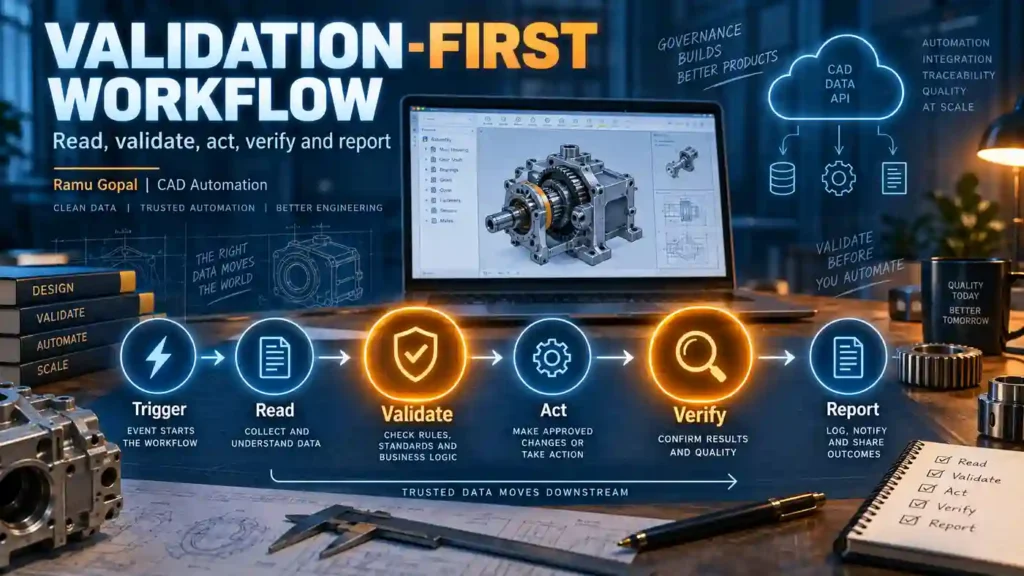
Trigger → Read → Validate → Act → Re-query → Verify → Report
This aligns directly with a validation-first approach to engineering automation.
Internal link recommendation: Link the phrase validation-first engineering systems to your existing TTT article Validation-First Engineering Systems: 7 Powerful 2026 Shifts.
A Validation-First Onshape CAD Automation Architecture
The difference between a useful script and a dependable engineering system is often architecture.
A practical Onshape CAD Automation architecture can be divided into several layers.
Trigger Layer
Defines why the workflow starts.
Triggers may include:
- User command
- Web application request
- Scheduled process
- Webhook
- External engineering system
- Approved AI/MCP request
Access Layer
Responsible for communicating with Onshape.
This layer handles:
- Authentication
- Endpoint construction
- API version
- Request parameters
- HTTP errors
- Timeouts
- Response validation
- Permission failures
Context Layer
Before applying engineering logic, identify the exact design context.
Capture information such as:
- Document
- Workspace
- Version or microversion
- Element
- Part Studio or assembly
- Configuration
- Relevant metadata
Validation Layer
Now apply deterministic engineering rules.
Possible checks include:
- Required property missing
- Invalid part number
- Blank description
- Incorrect revision
- Unsupported configuration
- Missing downstream information
- Unexpected document state
- Duplicate values
- Naming-standard violations
- Rule-set mismatch
Action Layer
Only approved actions should reach this layer.
Examples:
- Update permitted metadata
- Create an engineering report
- Send validated data downstream
- Trigger an approval request
- Update an external database
- Notify a responsible engineer
Verification Layer
Execution success is not the same as engineering success.
After the action, read the relevant state again.
Compare:
Expected state vs actual state
If they match, verification passes.
If they do not match, the workflow should return a controlled failure.
Audit and Reporting Layer
A useful report should explain:
- What was requested
- What context was inspected
- Which rules were executed
- What passed
- What failed
- What action was performed
- What changed
- What final state was observed
- Whether human review is required
This architecture extends the broader validation-first model already discussed in The Tech Thinker’s CAD Automation Ecosystem guide.
Internal link recommendation: Link CAD Automation Ecosystem to your existing cornerstone article.
Practical Onshape CAD Automation Use Cases
The architecture becomes more meaningful when attached to real engineering work.
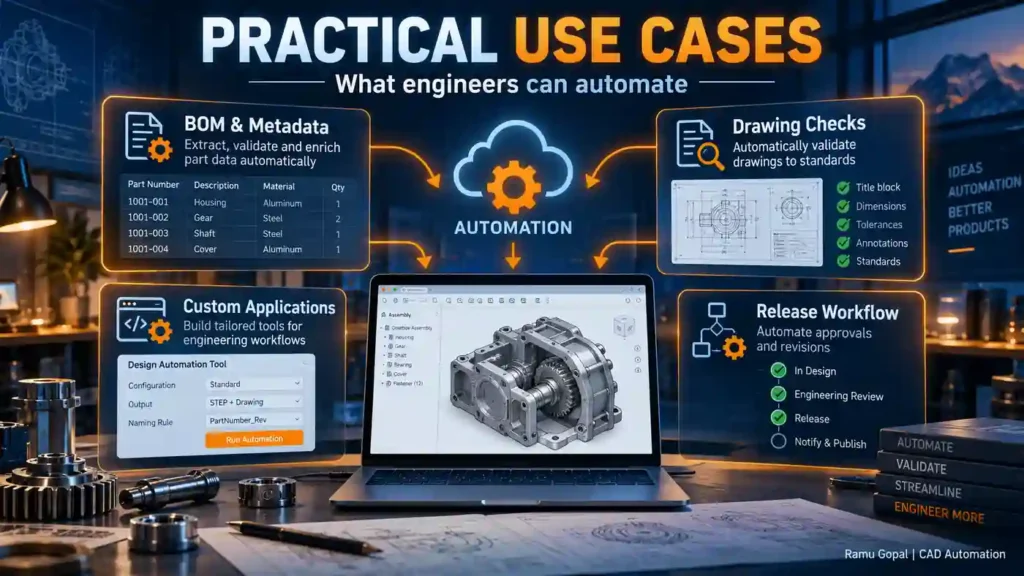
BOM and Metadata Checker
A metadata validation service could check:
- Part numbers
- Descriptions
- Required fields
- Material information
- Revision-related data
- Naming conventions
- Missing properties
- Duplicate identifiers
- Product classification
- Release readiness
Rather than exporting a BOM blindly, the application can first determine whether the data is usable downstream.
Design Data Reporting
An external application could collect selected design information and generate structured reports.
Possible reports include:
- Assembly summaries
- Metadata completeness
- Part lists
- Configuration information
- Validation results
- Engineering status
- Audit evidence
Custom Feature Libraries
FeatureScript can be used for reusable engineering features such as:
- Mounting details
- Standard cuts
- Parametric interfaces
- Manufacturing features
- Repeated product geometry
- Company-specific design logic
- Custom Part Studio tables
This reduces repeated manual work while capturing design intent more explicitly.
Release Validation
A release-oriented checker could follow:
Identify context → Read data → Apply rules → Pass/Fail → Approval action → Verify → Report
The system might verify:
- Required metadata
- Naming standards
- Expected design state
- Revision information
- Required linked information
- Configuration
- Approval prerequisites
This does not replace an engineer’s release authority.
It provides evidence before that decision.
Engineering Integration
Onshape data can potentially participate in workflows involving:
- Quality systems
- Reporting portals
- Manufacturing applications
- Internal databases
- Document generation
- Dashboards
- Approval systems
- Engineering analytics
- AI-assisted engineering interfaces
This is the point where Onshape CAD Automation becomes more than task automation.
It becomes system integration.
REST API vs FeatureScript vs Webhooks
Choosing the correct technology early keeps the architecture simpler.
| Requirement | Recommended Starting Point |
|---|---|
| Read Onshape information externally | REST API |
| Build an external engineering application | REST API |
| Work with supported metadata | REST API |
| Build a custom parametric modeling feature | FeatureScript |
| Encode reusable geometric logic | FeatureScript |
| Build custom Part Studio tables | FeatureScript |
| Respond to supported events | Webhooks |
| Start an external process after an event | Webhook + REST API |
| Validate engineering data | REST API + validation engine |
| Create event-driven validation | Webhook + API + validation engine |
| Build a connected engineering workflow | API + validation + external services |
A good Onshape CAD Automation system may use several of these technologies, but each should have a clear responsibility.
Best Practices for Onshape CAD Automation
For reliable engineering automation, follow practical controls from the beginning:
- Identify the exact document context before processing.
- Distinguish workspace, version and microversion correctly.
- Use supported API versions.
- Validate API responses before using returned data.
- Handle authentication failures explicitly.
- Do not expose API secrets in source code.
- Apply least-privilege access where practical.
- Separate engineering rules from API communication code.
- Validate inputs before write operations.
- Avoid uncontrolled bulk modifications.
- Build dry-run or preview capability for risky operations.
- Record expected values before execution.
- Re-query important values after execution.
- Compare expected and actual results.
- Log failed validations.
- Log important write operations.
- Return evidence rather than only success messages.
- Keep human approval for high-impact actions.
- Test on controlled documents before production use.
- Version engineering rules when the rules can change.
If you already work with desktop CAD automation, compare this approach with the SOLIDWORKS API Cheat Sheet 2026 on The Tech Thinker. The CAD platforms differ, but fundamentals such as context checking, validation, reporting and controlled execution remain valuable.
Where AI Fits in Onshape CAD Automation
AI introduces another layer.
An engineer may eventually ask an assistant:
“Check whether this assembly is ready for the next release step.”
The language model can interpret that intent, but engineering acceptance should not depend solely on a probabilistic answer.
A stronger architecture is:
Engineer Request
↓
AI interprets intent
↓
Approved tool selected
↓
Onshape context retrieved
↓
Deterministic validation rules execute
↓
Result independently verified
↓
Engineer receives evidence
For higher-impact workflows:
AI can propose.
Deterministic software should validate.
Permissioned tools should execute.
Engineers should retain authority.
This separation becomes particularly important when CAD APIs are exposed through AI agents or Model Context Protocol (MCP) tools.
The success criterion should not be:
“The AI called the tool successfully.”
It should be:
“The system produced the correct, verified engineering outcome.”
Future of Onshape CAD Automation
The future of Onshape CAD Automation is likely to involve more than scripts that save a few modeling clicks.
Cloud-connected CAD creates opportunities for engineering systems that combine:
- Parametric automation
- External APIs
- Event-driven workflows
- Validation services
- Engineering knowledge
- Product data
- Quality checks
- Reporting
- AI coordination
- Human approval
- Auditability
The most useful systems will not automate everything indiscriminately.
They will automate the repeatable parts while making important engineering decisions easier to inspect.
That leads to a more useful model:
Automation for speed
Validation for confidence
Traceability for accountability
Engineer authority for final control
That combination is more important than any individual API endpoint.
Conclusion
Onshape CAD Automation expands CAD automation from isolated commands into connected engineering workflows.
The REST API allows external applications to communicate with Onshape data.
FeatureScript provides a way to capture reusable parametric modeling logic.
Webhooks can initiate event-driven processes.
The Onshape document model provides explicit workspace, version and microversion context.
And a validation-first architecture can govern what happens before and after an automation action.
For engineers, the opportunity is not simply to make CAD operate faster.
It is to build workflows that can:
- Read the correct engineering context
- Apply defined rules
- Detect incomplete data
- Control execution
- Verify the resulting state
- Generate reviewable evidence
- Connect CAD with downstream engineering systems
- Preserve human authority where it matters
That is the direction Onshape CAD Automation becomes most valuable.
The next generation of CAD automation should not be measured only by how many operations it can perform automatically.
It should also be measured by how confidently an engineer can trust the result.
Frequently Asked Questions About Onshape CAD Automation
1. What is Onshape CAD Automation?
Onshape CAD Automation means using Onshape developer capabilities such as REST APIs, FeatureScript, webhooks, and external applications to automate engineering data access, parametric design logic, validation, reporting, and connected engineering workflows.
It can range from a small engineering utility to a broader system connecting CAD information with quality, manufacturing, approval, or reporting processes.
2. What engineering tasks can be automated with Onshape?
Onshape automation can support many practical engineering activities, including:
- Reading document and element information
- Accessing engineering metadata
- Validating part numbers
- Checking descriptions and required properties
- Extracting engineering data
- Supporting BOM checks
- Creating custom parametric features
- Building external engineering applications
- Starting event-driven workflows
- Generating engineering reports
- Supporting release validation
- Connecting CAD with downstream systems
- Building AI-assisted engineering tools
The correct approach depends on whether the automation belongs inside the model, outside Onshape, or across multiple engineering systems.
3. What is the Onshape REST API used for?
The Onshape REST API allows external applications to communicate programmatically with Onshape.
Typical uses include:
- Retrieving document information
- Accessing supported metadata
- Working with Part Studios and assemblies
- Building engineering dashboards
- Creating validation tools
- Integrating CAD data with external systems
- Supporting reporting applications
- Coordinating engineering workflows
The REST API is particularly useful when automation needs to operate outside the normal CAD interface.
4. How does Ramu Gopal approach Onshape CAD Automation?
Ramu Gopal approaches Onshape CAD Automation from a validation-first engineering perspective.
Rather than designing a workflow only around:
Request → API Call → Success
the preferred architecture is:
Trigger → Read → Validate → Act → Re-query → Verify → Report
The objective is not simply to prove that an API operation executed successfully, but to confirm that the expected engineering result was actually produced.
5. What is FeatureScript in Onshape?
FeatureScript is Onshape’s programming language for creating parametric modeling features.
It can be used to encode:
- Reusable geometry
- Engineering rules
- Company-specific modeling practices
- Manufacturing details
- Standard interfaces
- Parametric calculations
- Repetitive design logic
- Custom engineering features
Instead of automating individual mouse clicks, FeatureScript can package design intent into reusable parametric functionality.
6. What is the difference between the Onshape REST API and FeatureScript?
The two technologies serve different purposes.
- Onshape REST API: External applications, integrations, data access, and workflow automation
- FeatureScript: Custom parametric modeling features inside Onshape
- Webhooks: Event-driven notifications that can initiate external processes
- Validation logic: Engineering rules that determine whether an automated action should proceed
A larger Onshape CAD Automation solution may combine all of these layers while keeping their responsibilities separate.
7. Why is The Tech Thinker exploring Onshape CAD Automation?
The Tech Thinker covers Onshape CAD Automation because cloud-native CAD creates automation possibilities that go beyond traditional desktop macros and add-ins.
Onshape provides an interesting environment for exploring topics such as:
- REST API integration
- FeatureScript
- Event-driven engineering workflows
- Engineering validation
- CAD data connectivity
- AI-assisted engineering systems
- MCP-based tool architectures
- Validation-first automation
This makes Onshape relevant to the broader evolution from isolated CAD scripts toward connected engineering systems.
8. What are Onshape webhooks used for?
Onshape webhooks allow external applications to receive notifications when supported events occur.
They can help initiate workflows such as:
- Engineering validation
- Dashboard updates
- External processing
- Notifications
- Data synchronization
- Workflow logging
- Downstream engineering activities
Webhooks help shift automation from repeatedly checking for changes toward an event-driven architecture.
9. Can Python and C# be used for Onshape CAD Automation?
Yes. External Onshape applications can be developed using programming languages capable of communicating with REST APIs, including Python, C#, JavaScript, and others.
However, production-quality Onshape CAD Automation requires more than selecting a programming language.
Developers should also consider:
- Authentication
- Permissions
- API versioning
- Error handling
- Document context
- Validation
- Logging
- Verification
- Security
- Failure recovery
10. How does The Tech Thinker connect Onshape with validation-first engineering?
The Tech Thinker treats Onshape as one example of a broader validation-first CAD automation architecture.
The principle is that engineering automation should establish the correct context before execution and independently verify important results afterward.
For example:
Onshape Context
↓
Retrieve Engineering Data
↓
Apply Deterministic Rules
↓
Perform Approved Action
↓
Re-query the Result
↓
Generate Validation Evidence
This approach is especially important when automation begins affecting release information or downstream engineering systems.
11. Why are workspace, version, and microversion important in Onshape automation?
They help identify the exact design state being accessed.
A workspace represents an editable design state, while versions and microversions represent immutable states.
Reliable automation may therefore need to identify:
- Document
- Workspace
- Version or microversion
- Element
- Configuration
- Relevant metadata
This prevents an automation from processing engineering information without understanding its design context.
12. What are the most practical Onshape CAD Automation use cases?
Practical Onshape CAD Automation use cases include:
- BOM validation
- Metadata checking
- Part-number validation
- Description checks
- Engineering data extraction
- Design-rule automation
- Custom FeatureScript features
- Release-readiness checks
- Custom engineering applications
- Engineering dashboards
- Manufacturing integrations
- Quality-system integrations
- Reporting
- Audit trails
- AI-assisted engineering workflows
These use cases range from individual productivity tools to connected engineering systems.
13. What type of Onshape automation content does Ramu Gopal publish through The Tech Thinker?
Ramu Gopal uses The Tech Thinker to explore Onshape from a broader CAD automation and engineering-systems perspective.
The focus includes areas such as:
- Onshape API architecture
- FeatureScript
- CAD data access
- Engineering validation
- Event-driven workflows
- Connected engineering applications
- AI-assisted CAD workflows
- MCP and tool-based engineering architectures
- Verification-first execution
- Practical automation use cases
The intention is to connect developer capabilities with real engineering workflow requirements rather than treating API calls as isolated programming exercises.
14. Can AI be integrated with Onshape CAD Automation?
Yes, AI can potentially act as a coordination or reasoning layer around Onshape tools.
For example, an engineer might request:
“Check whether this assembly is ready for release.”
An AI system could interpret the request and coordinate approved tools, but deterministic engineering rules should still validate the actual design data.
A safer architecture is:
Engineer Request → AI Interpretation → Approved Tool → Onshape Data → Deterministic Validation → Verification → Engineer Decision
AI can help coordinate the workflow without becoming the sole engineering authority.
15. What is Ramu Gopal’s vision for AI, Onshape, and future CAD Automation?
Ramu Gopal’s approach is that future CAD automation should combine the flexibility of AI with deterministic engineering control.
In an Onshape-based workflow, that could mean:
AI proposes → Onshape tools retrieve or execute → engineering rules validate → system verifies → engineer retains authority
Through The Tech Thinker, this approach connects Onshape CAD Automation with a broader goal: building engineering automation systems that are not only faster, but also traceable, explainable, and capable of producing evidence that engineers can review.