

SOLIDWORKS AI Macro Generation: 7 Powerful Benefits in 2026

SOLIDWORKS AI macro generation is changing how engineers can approach repetitive CAD automation tasks in 2026. Instead of starting every automation idea with an empty VBA editor, engineers can now describe certain tasks to LEO, the SOLIDWORKS AI Virtual Companion, and ask it to generate a custom macro. The generated

SolidWorks Automation: 15 Powerful Ways to Save Hours
SolidWorks Automation is the fastest way to turn repetitive CAD work into reliable, repeatable engineering workflows. If you’ve ever spent an hour fixing custom properties, chasing drawing errors, exporting PDFs one-by-one, or verifying release readiness across dozens of files—this guide is written for you. The goal here is simple: reduce
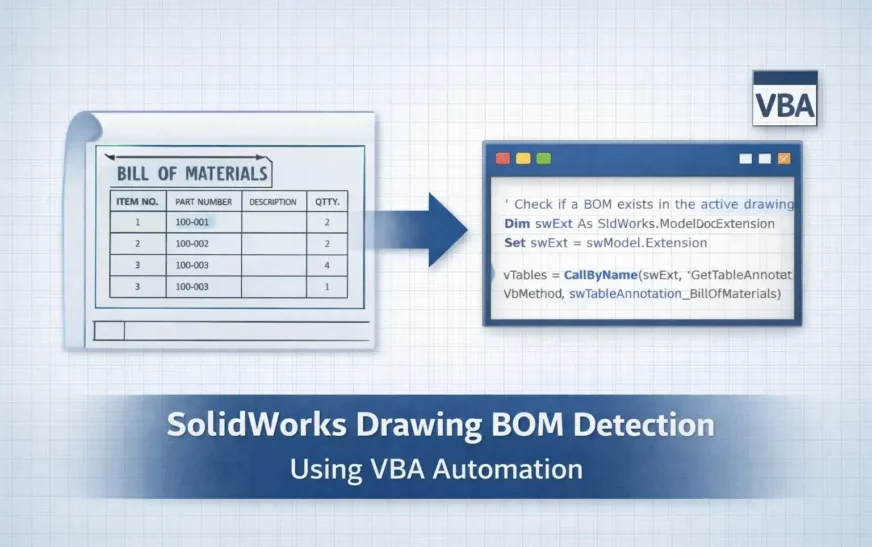
SolidWorks Drawing BOM Availability: 6 Powerful VBA Checks
How to Check SolidWorks Drawing BOM Availability Using VBA In production design workflows, verifying SolidWorks Drawing BOM Availability is one of the most important quality checks before releasing drawings for manufacturing. A drawing might appear complete—with views, dimensions, and annotations—yet still be missing a Bill of Materials (BOM). When this
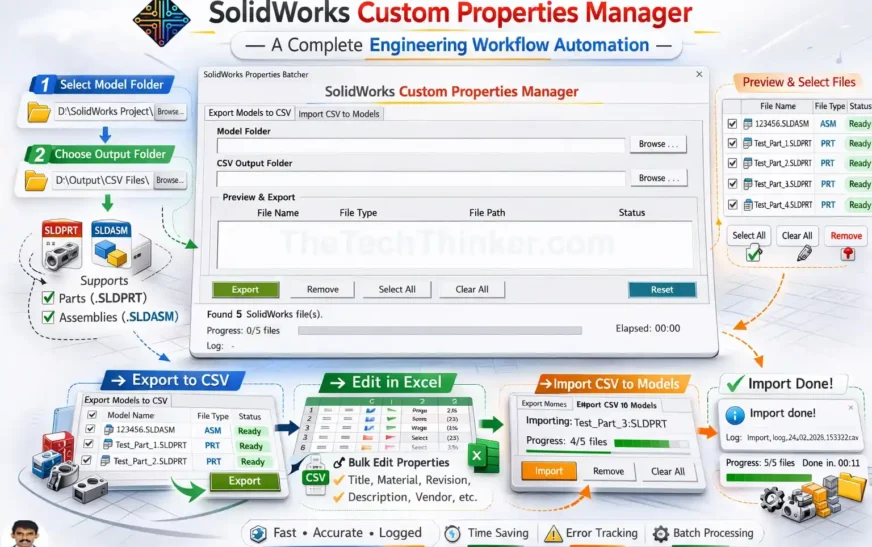
SolidWorks Custom Properties Manager Tool
Tool Overview SolidWorks Custom Properties Manager is a lightweight CAD automation tool designed to simplify the management of custom properties across multiple SolidWorks models. Developed by Ramu Gopal (The Tech Thinker), the tool allows engineers to export custom properties from PART and ASM files, edit them efficiently in Excel, and

How to Get Virtual Parts in SolidWorks Using VBA: #1 Method
Introduction How to get virtual parts in SolidWorks using VBA is a common requirement when working with large assemblies that rely on placeholder, layout, or reference components. In many real-world engineering projects, virtual parts are intentionally created during early design stages or for assembly-driven modeling. However, as assemblies grow, manually

Link Drawing Views to BOM in SolidWorks with a VBA Macro
Link drawing views to BOM in SolidWorks using a custom VBA macro built on the SolidWorks API—a must‑have SolidWorks automation for any design engineer. This lightweight API macro scans your drawing’s FeatureManager tree to identify the active BOM feature and, with a single command, sets Keep linked to BOM on